
Software and automation
PLC, HMI and vision software written in-house for every machine
For every new fixture or line we write all the software: PLC logic, operator screens, PC applications and visual inspection.
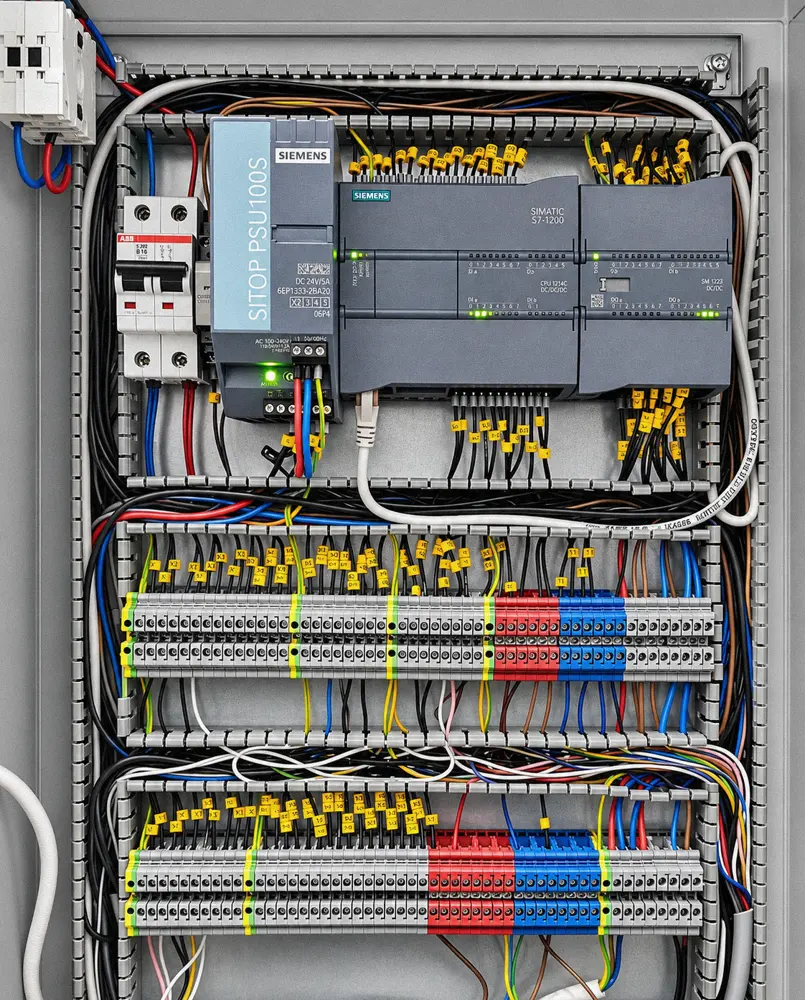
PLC programming
Control logic on Siemens and Keyence PLCs: sequences, safety functions, operator signaling.
HMI interfaces
Touchscreens built around your process: recipes, alarms, counters, clear messages.
PC applications for the line
Data acquired from the PLC, configurations saved and selected by barcode, production log.
Machine vision (AdoVIS) →
Our own camera, with a 12 MP Sony sensor and NVIDIA processor: checks part presence and position in real time.
Traceability
Barcode and QR code reading, correct-configuration checks, exportable reports.
In-house electronics
Control boards and firmware for devices where no standard hardware fits.
Integration
We connect new equipment to the plant's existing PLCs, sensors and network.
Modifications and updates
New configurations, functions or reports for delivered systems, without stopping the line.
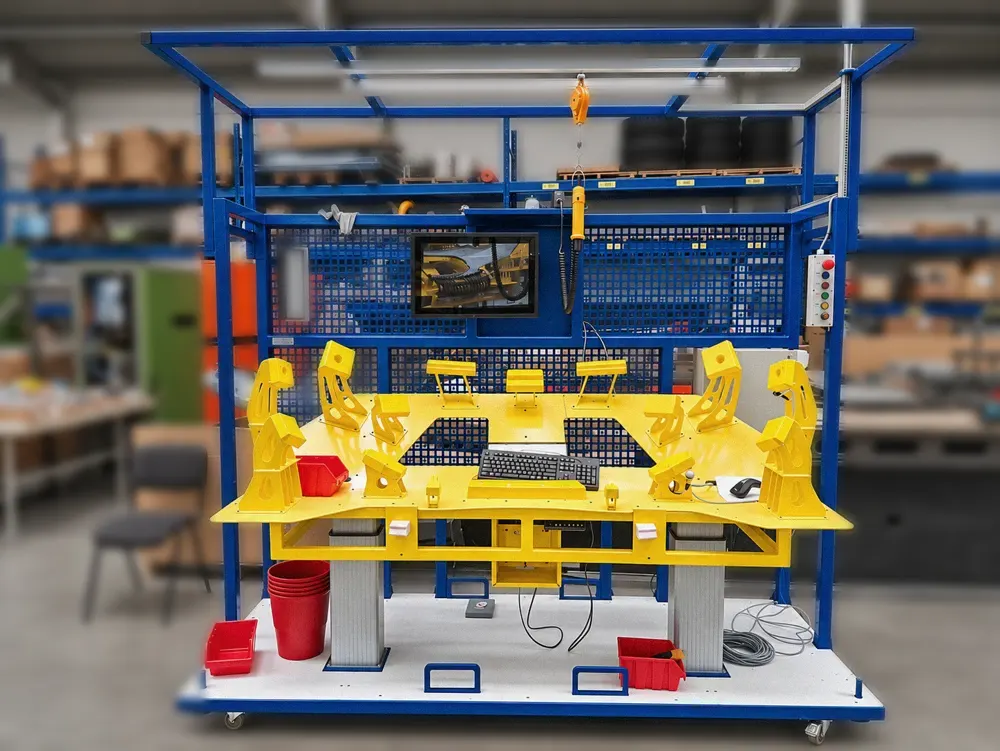
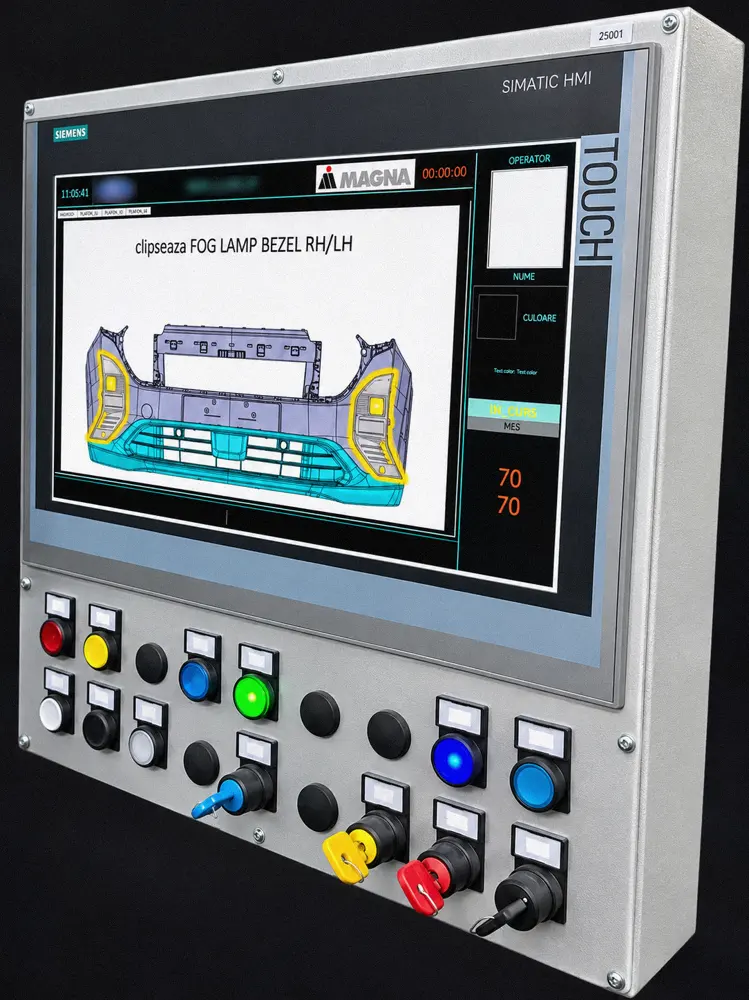
Stations with operator screens, HMI panels and control cabinets designed and wired in our workshop: Siemens S7-1200 PLC, SITOP power supplies, labeled terminals and wires.
Delivered example: copper conductor verification system with Siemens PLC, PC and touchscreen, up to 52 positions, with an alert for missing conductors.
Existing line that needs changes?
We rewrite or update the PLC, HMI and vision checks for new parts.
Custom software for assembly stations
Station software that won't let the operator skip a step
We write software for high-variant assembly stations: it reads the part label, identifies the variant, shows the operator the right steps and blocks progress until everything is confirmed.
Delivered with the station or separately for an existing line. The code and data remain yours.
- Production experience: assembly stations for automotive bumpers and grilles, with dozens of trim variants.
- Full integration: PLC, MES, code readers, cameras, lamps and electrical tests.
- Maintenance: new variants, new steps and updates after start-up.
- 1Label scan
- 2Variant identified
- 3Guided steps
- 4Camera confirmation
- 5Electrical test
- 6Release + MES
The variant, from the barcode
Decodes the part label: sensors, radar, frame type, grille color, trim version. Loads the right instructions automatically.
Step-by-step guidance
Video animation and PDF for every variant and every side of the part, with adjustable playback speed.
AI camera confirmation
AI cameras and operator hand tracking confirm the assembly. The next step unlocks only after confirmation.
Electrical test before release
Parking sensors and radar are tested via the PLC, with the wiring harness scanned before connection.
Connected to PLC and MES
Siemens S7 PLC, “station ready” signal to MES, reset from MES, MES simulator for testing, operator badge login.
Lamp, sound, counting
Dimmable LED lamp, audible signals, parts-per-box counting, history and Excel export.
We also integrate cobots
Collaborative robots (e.g. FAIRINO) in workstations: programming, grippers and connection to the station PLC.
AdoVIS · AI vision inspection, our own product
Defects stop at the station, not at your customer
AdoVIS monitors assembly with AI cameras: it checks that every component is fitted and compares its position with the coordinates learned for that part number. The result goes straight to the station PLC.
- Decision per image
- < 0.1 s
- Cameras per station
- 1–4
- Wrong parts reported by the customer, in 6 months
- 0
- In production, 2 shifts
- 6 months
AdoVIS is a quality-control system, not a machine safety component. Figures come from a reference project; data available on request.
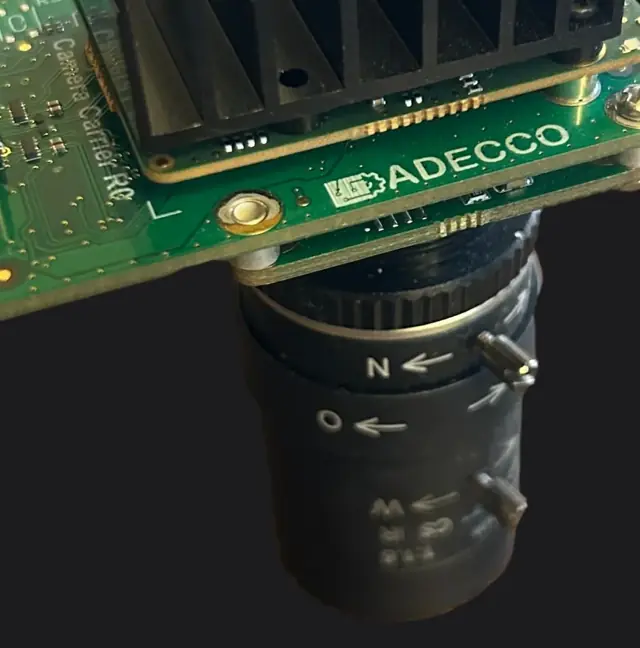
The AdoVIS camera, built by us12 MP Sony sensor, industrial lenses and an NVIDIA processor on the same board, mounted directly on the station. The housing shows the company's legal name, ADECCO SRL.
Independent of shop-floor lighting
Tested with changed lighting and a moved camera: the detection result stayed the same.
AI runs in the camera
The NVIDIA processor in the camera runs the neural network. The station PC only displays the operator panel and communicates with the PLC.
On your existing PLC
Communicates directly with the machine's Siemens S7 PLC. If you run a MES, it can be connected to that as well.
Missing or misplaced
Flags the missing component and the incorrectly fitted one, directly on the live image.
Complete line software
Operator panel, PLC monitoring, manifest and paint colour decoding, vehicle history, password-protected settings.
Why we built it
We couldn't find a camera on the market that delivered the results we needed, so we designed one.
How it is implemented
- 01
Installation and images
We mount the cameras on the station and collect images from production.
- 02
Training
We train the cameras on your part, typically with more than 200 images, depending on the part and configuration.
- 03
PLC connection
We connect AdoVIS to the PLC (and to the MES, if there is one) and start inspection.
Feasibility test on your part
Free of charge in our workshop, on your parts, both good and defective. A test on your line can be done at low cost. Start with a few photos and the station cycle time.
Send photos of the part Download the AdoVIS sheet (PDF, 1 page)Real footage · 48 s, with sound
AdoVIS at work on an assembly station
The operator assembles, the camera checks every element, and the station moves on only when everything is right.
Client data is hidden.
Request for quote
Tell us what you need. We reply within 24 working hours.
Choose the type of request and the form opens with the right fields. Drawings are treated confidentially; we sign an NDA on request.

Vlad Ianăș
Design engineer · quotes and projects